



Connected product view
See products and seller offers from the two platforms in one list.
Salla–eXtra marketplace integration
Bring your Salla products and eXtra seller offers into a connected workflow through Mirakl. Match products, apply stock and price rules, and follow marketplace orders from Liin.
This first connection is being built and tested. Availability is discussed for your store during the demo.
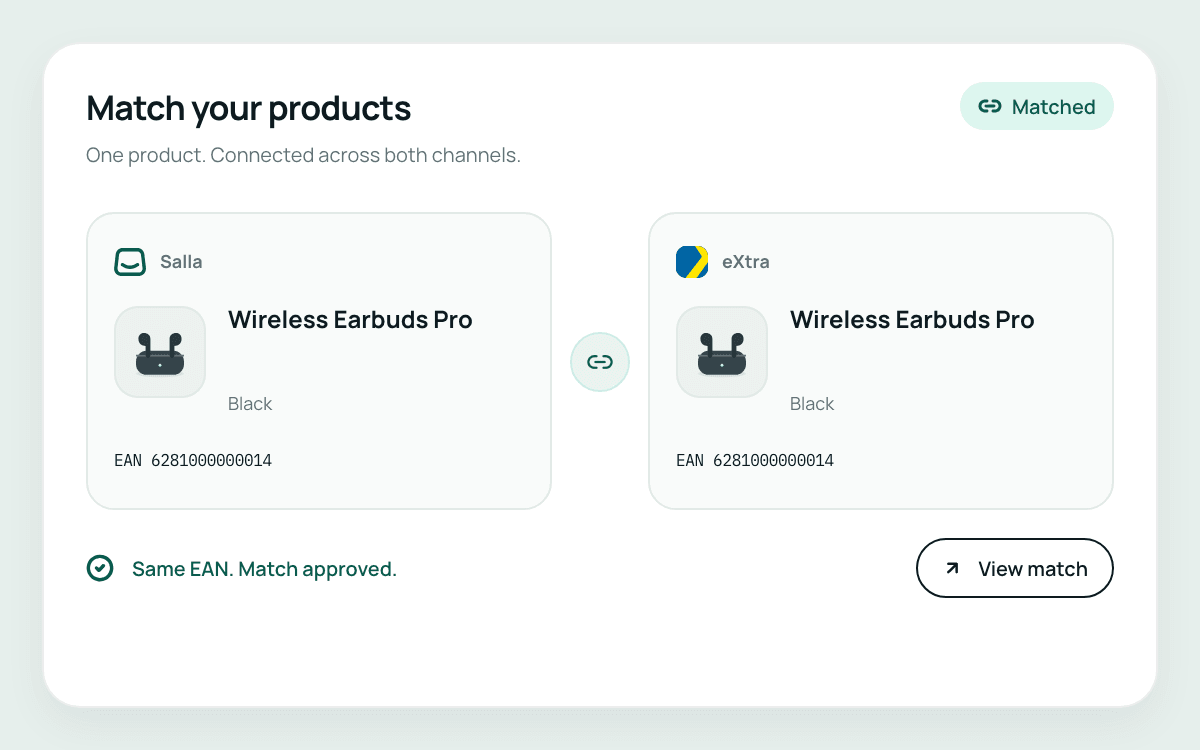
An eXtra catalogue product and your seller offer are different things. Liin matches your Salla item to an existing catalogue product, then helps you manage your own offer against that product.
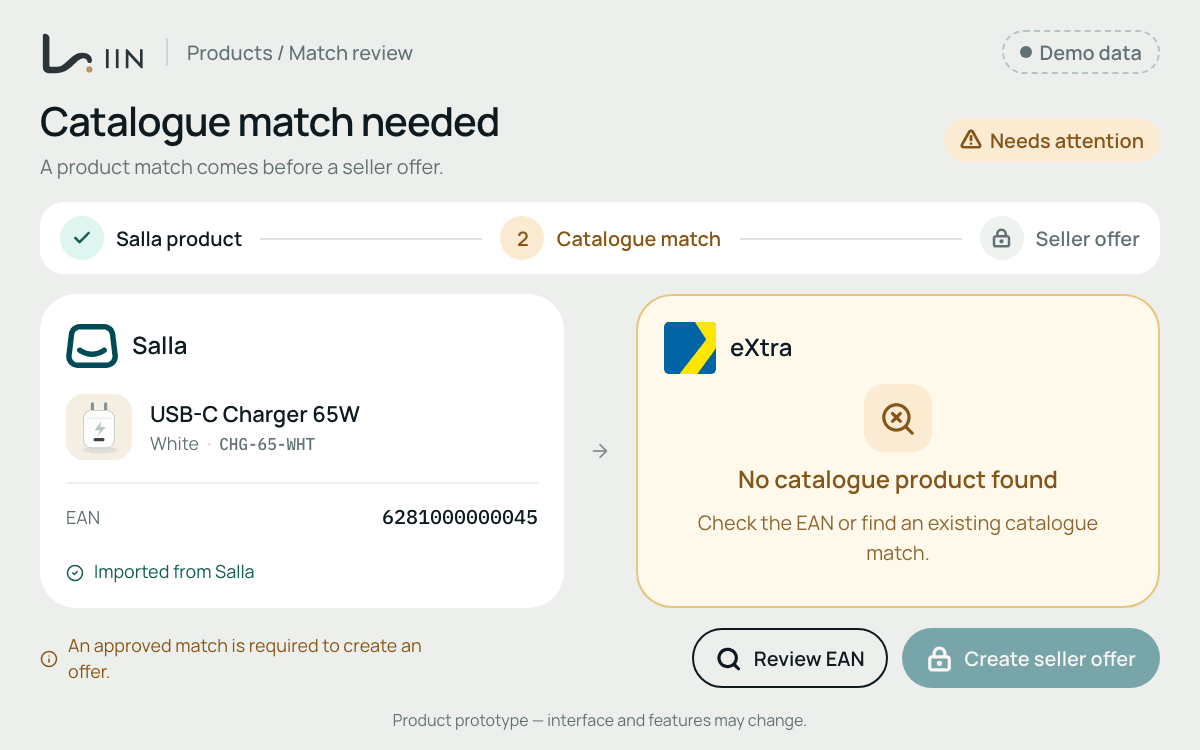
Use EAN and other trusted identifiers to match the right product or variant.
Offer creation requires a matching product already in the eXtra catalogue. A missing catalogue product is not the same as a missing seller offer.
Import your existing eXtra offers or create an offer against an existing matching catalogue product, then manage its stock and price through the connection.
Once the correct products and offers are linked, use your rules to synchronise the stock and pricing information that supports your eXtra selling workflow.
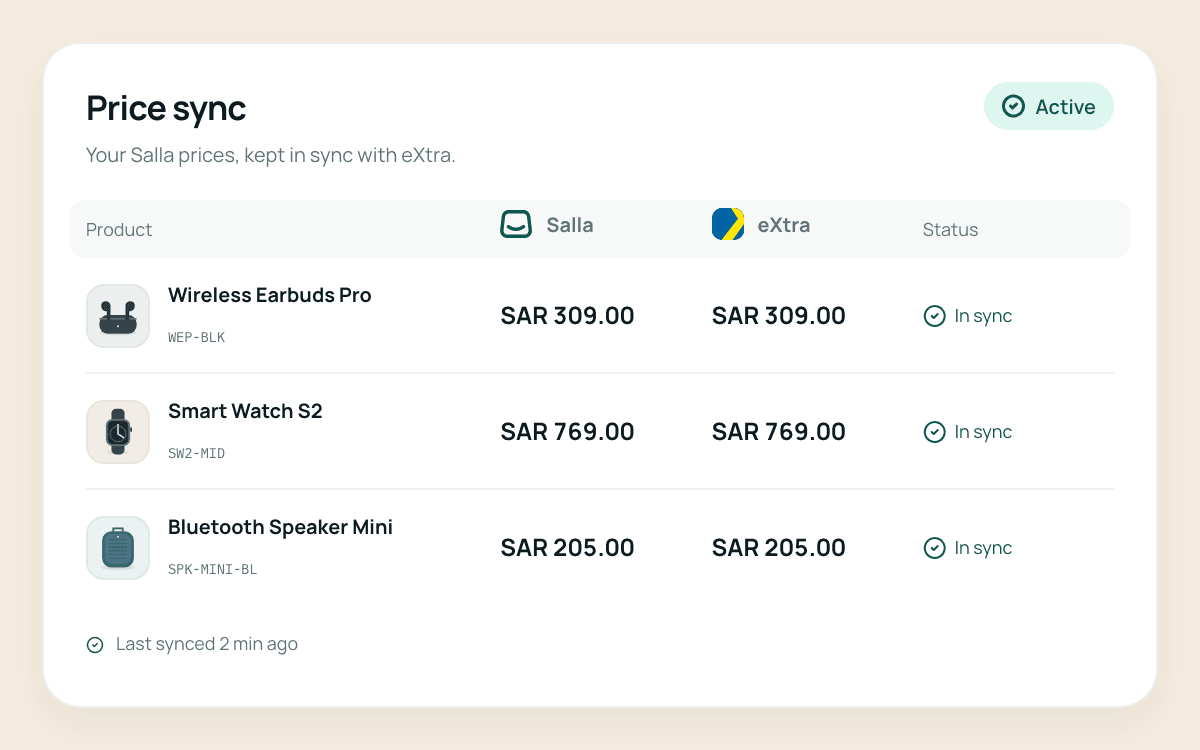
See products and seller offers from the two platforms in one list.
Keep quantities for connected products aligned according to your rules.
Update seller-offer prices through the connected workflow instead of repeating each change separately.
The first workflow covers connected orders and the operational steps around them, with the actions appropriate to each order’s delivery responsibilities.
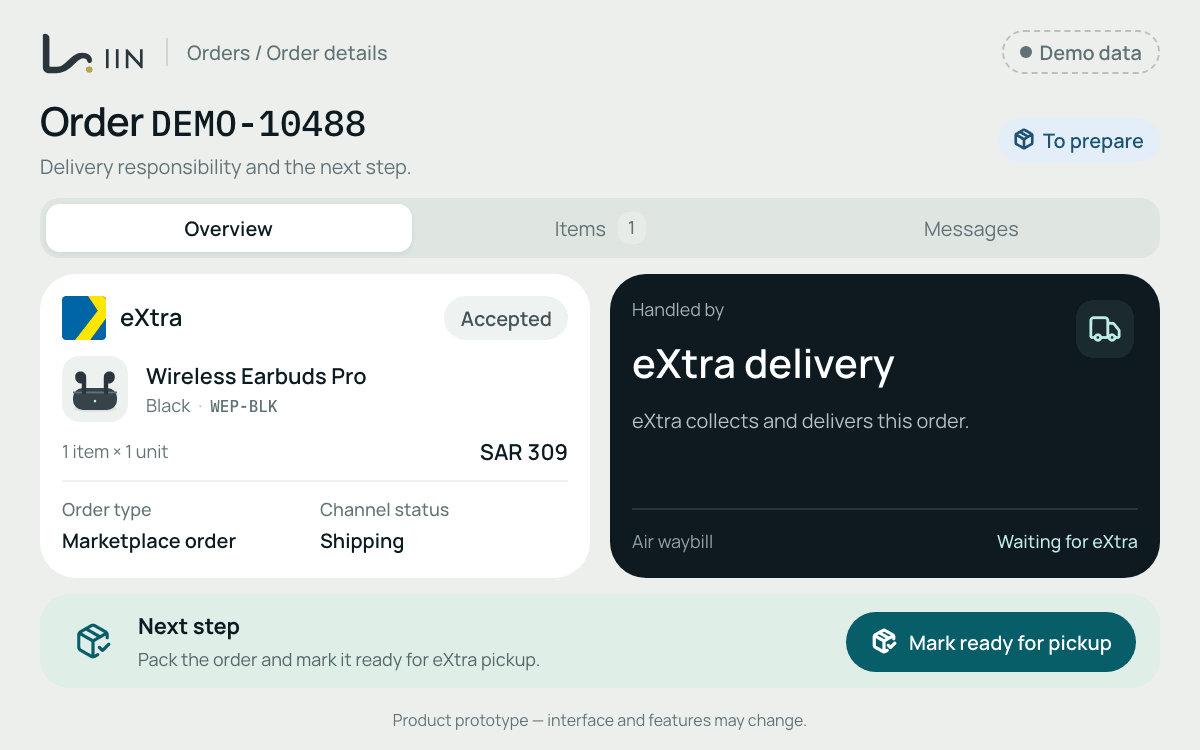
Import and manage connected marketplace orders from the Liin workspace.
Follow delivery responsibilities, dispatch updates, shipment tracking and airway bills.
Handle eXtra customer messages as part of the connected marketplace workflow.
The first Liin workflow connects to your eXtra seller account through Mirakl. Your store is on Salla; your marketplace seller activity is linked through the eXtra account. Liin connects the product and order work between these systems.
 Your Salla store

 Your eXtra seller account · Mirakl
Prepare the accounts and product information needed to review the first connection.
Seller registration and marketplace approval remain subject to eXtra’s requirements. A Liin demo does not replace those processes.
The first Salla–eXtra connection is being built and tested. Request a demo to review the workflow and discuss availability for your store.
Yes, the first workflow supports creating a seller offer when a matching catalogue product exists. Product and variant matching must identify the correct catalogue entry.
Creating a seller offer against an existing product is different from creating a new catalogue product. The first workflow does not promise creation of missing eXtra catalogue products; review the item and the marketplace requirements before proceeding.
No. Liin matches products and manages your seller offers. It does not copy eXtra’s protected catalogue images or product descriptions into Salla.
No. The first connection is specifically between Salla and your eXtra seller account through Mirakl. Other connections are planned and will be confirmed separately.
Returns and refunds are being developed and are not part of the current connection scope.
Tell us about your Salla store, eXtra seller account and catalogue. We’ll walk through product matching, seller offers and the connected order workflow.